Forms that react to their own answers.
Conditional logic decides what a field does. Triggers decide what the form does. Both are authored side by side, and both are re-enforced on the server.
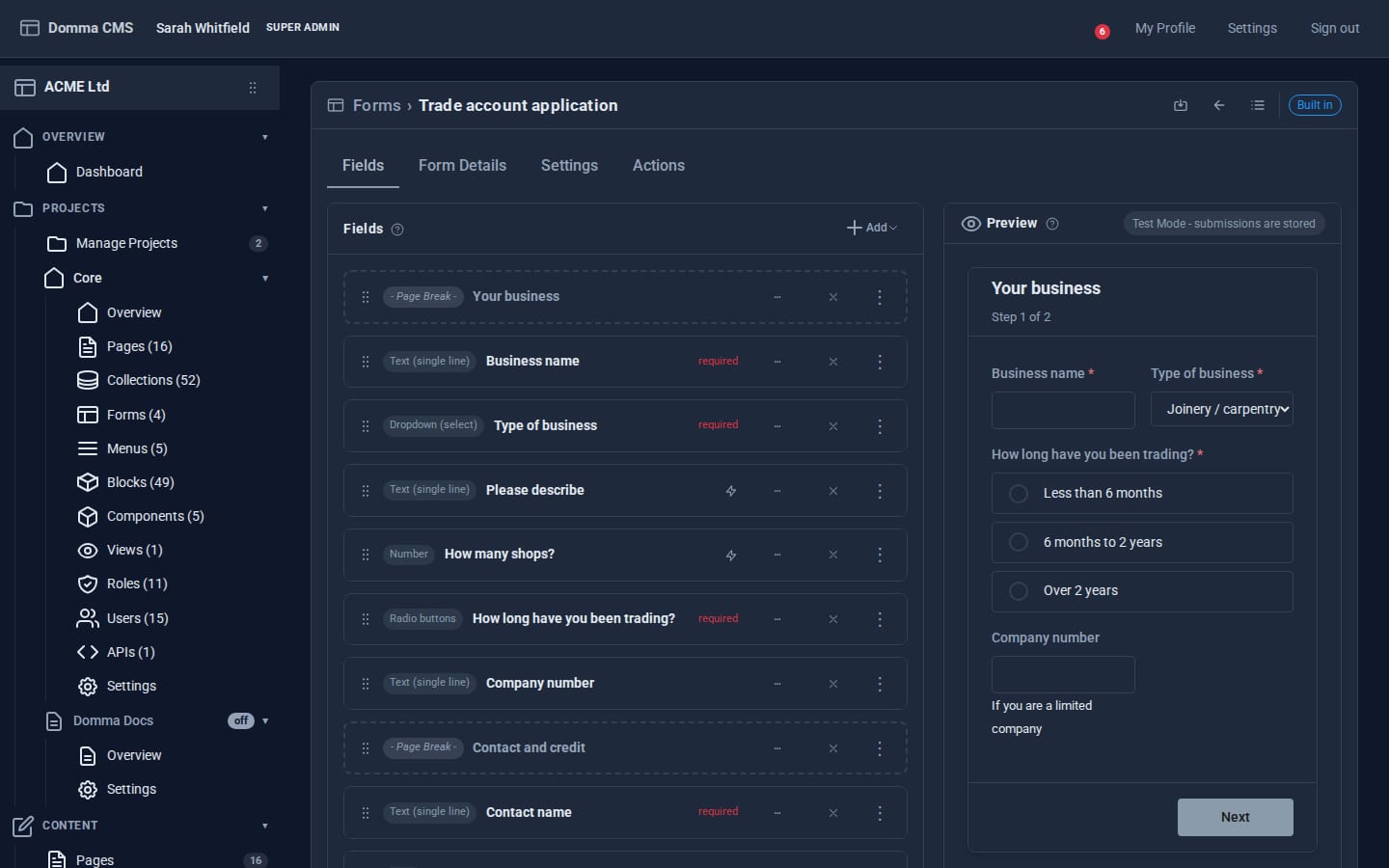
Fields on the left, the real form on the right. The preview is the public renderer, logic, triggers and wizard steps included, and it updates as you edit.
One answer. The whole form responds.
A trigger hangs off a field and fires when the answers meet a condition you set.
Fields follow the answers. Messages appear when answers change.
Changes to fields apply while an answer matches the condition and are undone when it stops. Hide a field because the answer was "no", and changing the answer to "yes" brings it back. You never have to write the inverse rule.
Messages and other one-off actions run when an answer starts matching a condition, rather than when the form first opens. A pop-up message responds to a changed answer instead of greeting someone who has not typed anything yet.
If the visitor changes their answer back, the matching action runs again.
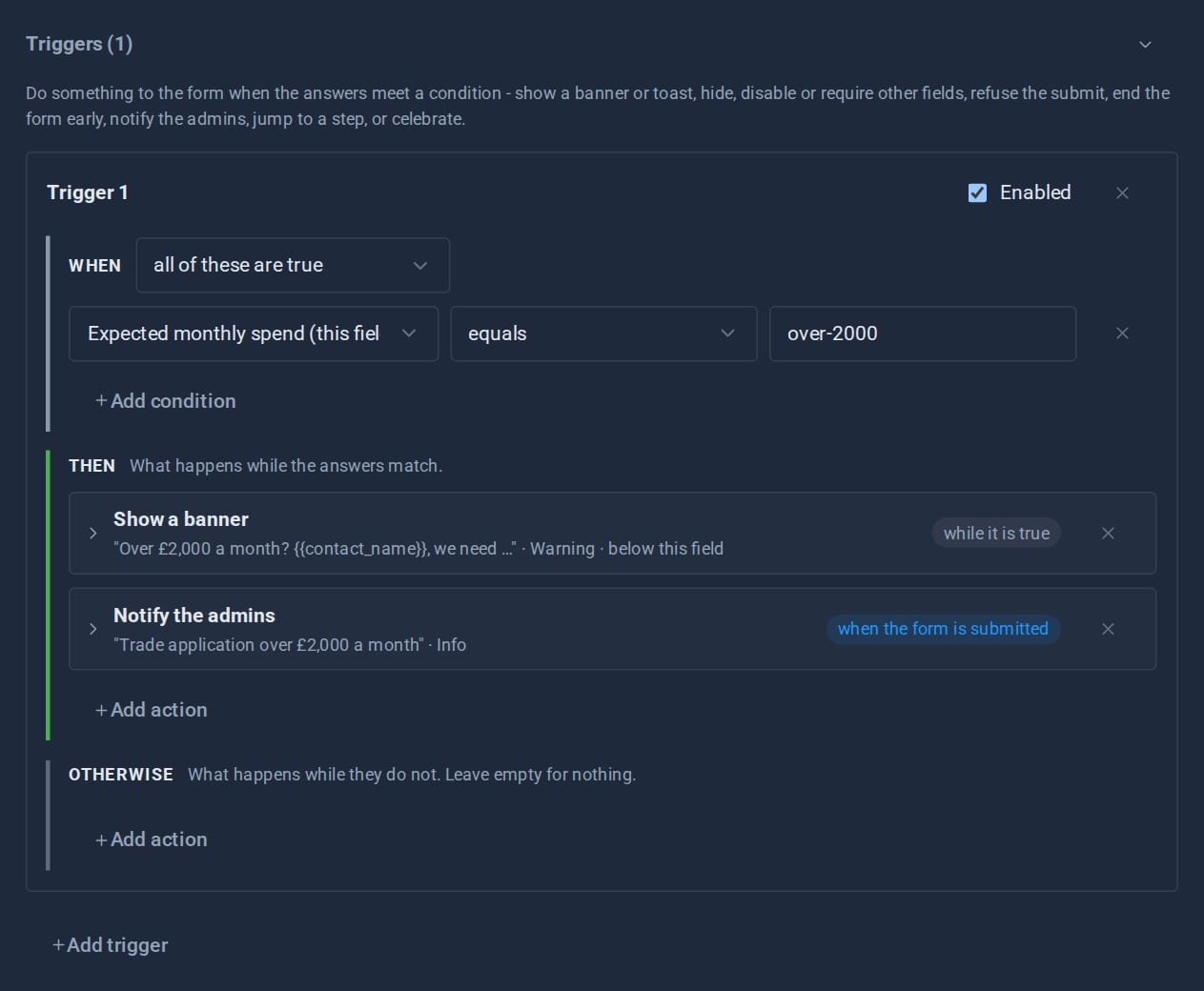
The trigger: when spend is over £2,000, show a banner while it is true and tell the admins when the form is sent.
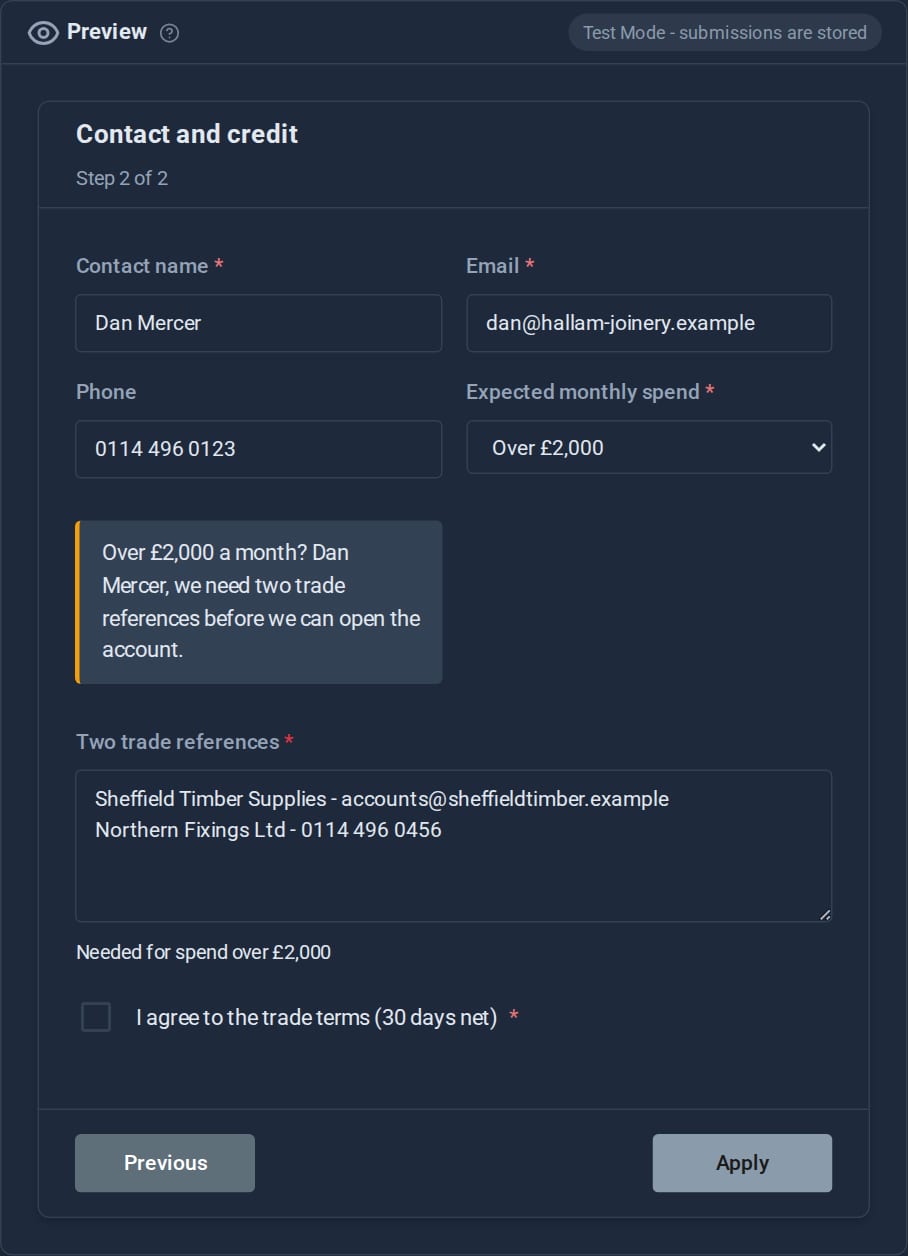
What the visitor sees. The banner fills in their name from the form, and the references field slides in, now required.
Some answers mean there is nothing more to ask.
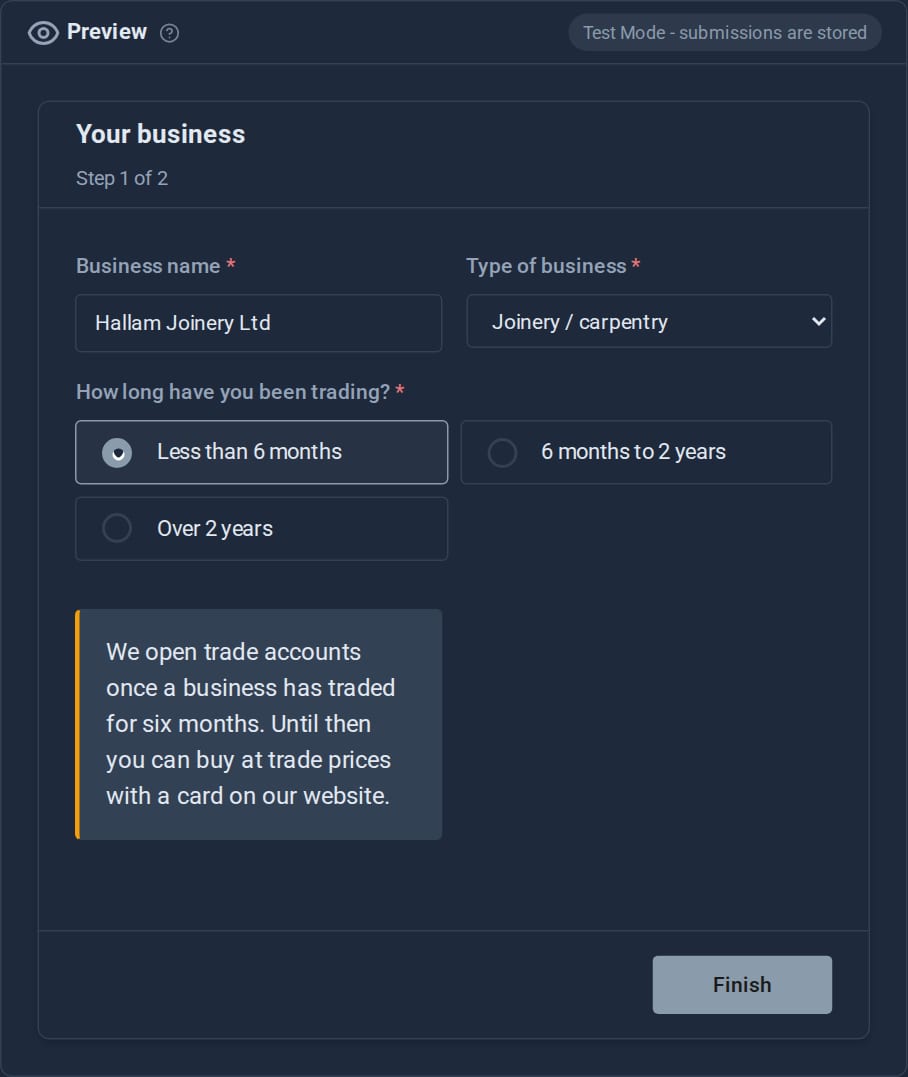
An end-form trigger masks the rest of the form, says why, and turns the button into Finish. You choose whether the answers so far are kept, and the stored entry records how the form ended.
ACME only opens trade accounts for businesses trading six months or more. Pick "Less than 6 months" and the application stops there, politely, with the details kept for later.
Each field knows when it is needed.
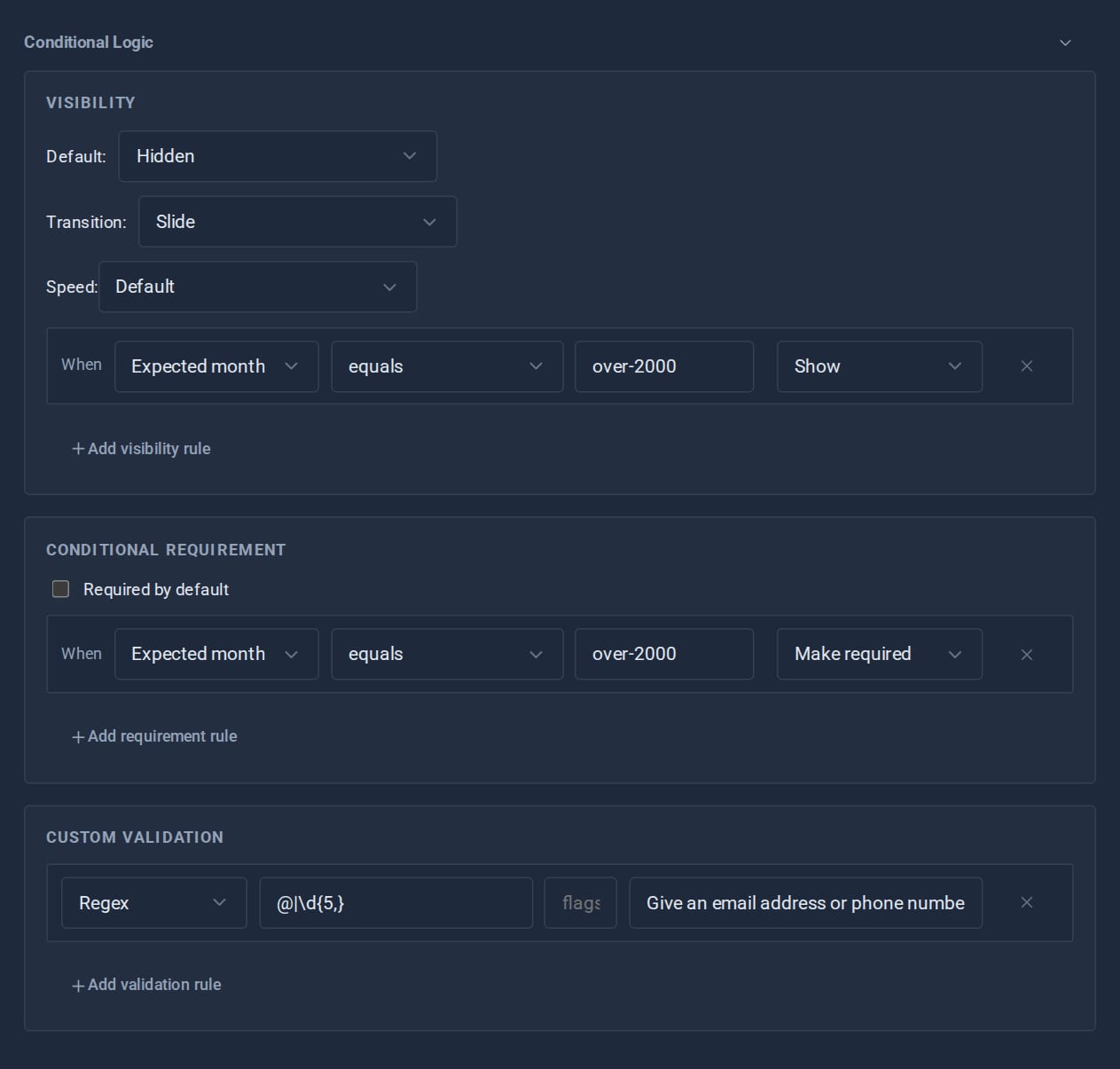
Open a field and its logic sits underneath: when it shows (with a fade, slide or scale), when it becomes required, and what counts as a valid answer.
ACME's "Two trade references" is hidden until the spend is over £2,000, required only then, and has to include an email address or phone number. Conditions can test any answer, including ones from an earlier step.
Everything else you would have built by hand.
Show, hide or require a field based on answers already given, including answers from an earlier page of a wizard. Dependent dropdowns and cross-field validation included.
Page breaks and progress. Validation that names what is missing rather than refusing silently. Files and logic survive every step change.
A honeypot pair and a timing check quietly drop bots that fill in everything or submit within two seconds, and a rate limit - three a minute unless you change it - asks people who submit too often to try again later. None of it is visible to a real visitor.
Forms lay out on a proper responsive grid and collapse correctly on narrow screens. The column control only offers what the renderer can actually produce.
Email on submission, a webhook to anywhere, or a hook your own Tool listens for. Recipients and webhook URLs never reach the browser.
Text, email, phone, number, URL, password, date and time; dropdowns, radio buttons, checkboxes and checkbox groups; file uploads and hidden fields - plus visual choosers, icon pickers and images from the media library, so a form can capture a choice that is visual rather than typed.
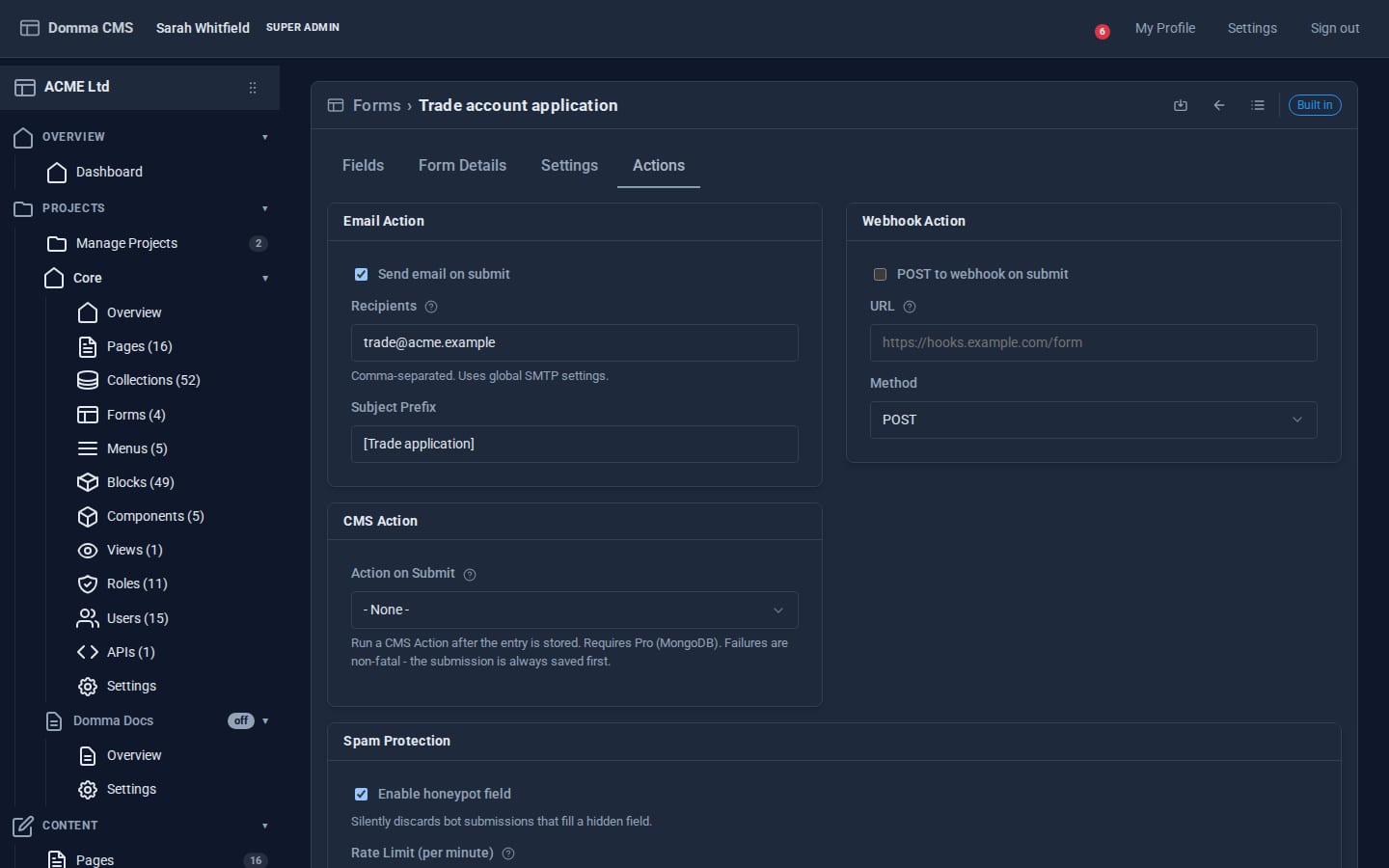
What happens on submit: store, email, webhook, a CMS Action, or all four. If one fails the entry is still kept, and the admins are told.
One shortcode, anywhere.
[form name="contact" /]
Drop it in a page, a card, a slideover or a tab. The submit route resolves the form's actions server side, so the page never carries them.
Everything lands in the admin.
Submissions are stored, searchable and exportable as CSV or JSON, with filters for new entries and spam. They live in a collection, so they can also be shown on a page like any other. If the visitor was signed in, the entry records who sent it.
You choose the button text, the thank-you message, or a page to send people to afterwards. The form submits in place, without reloading the page.
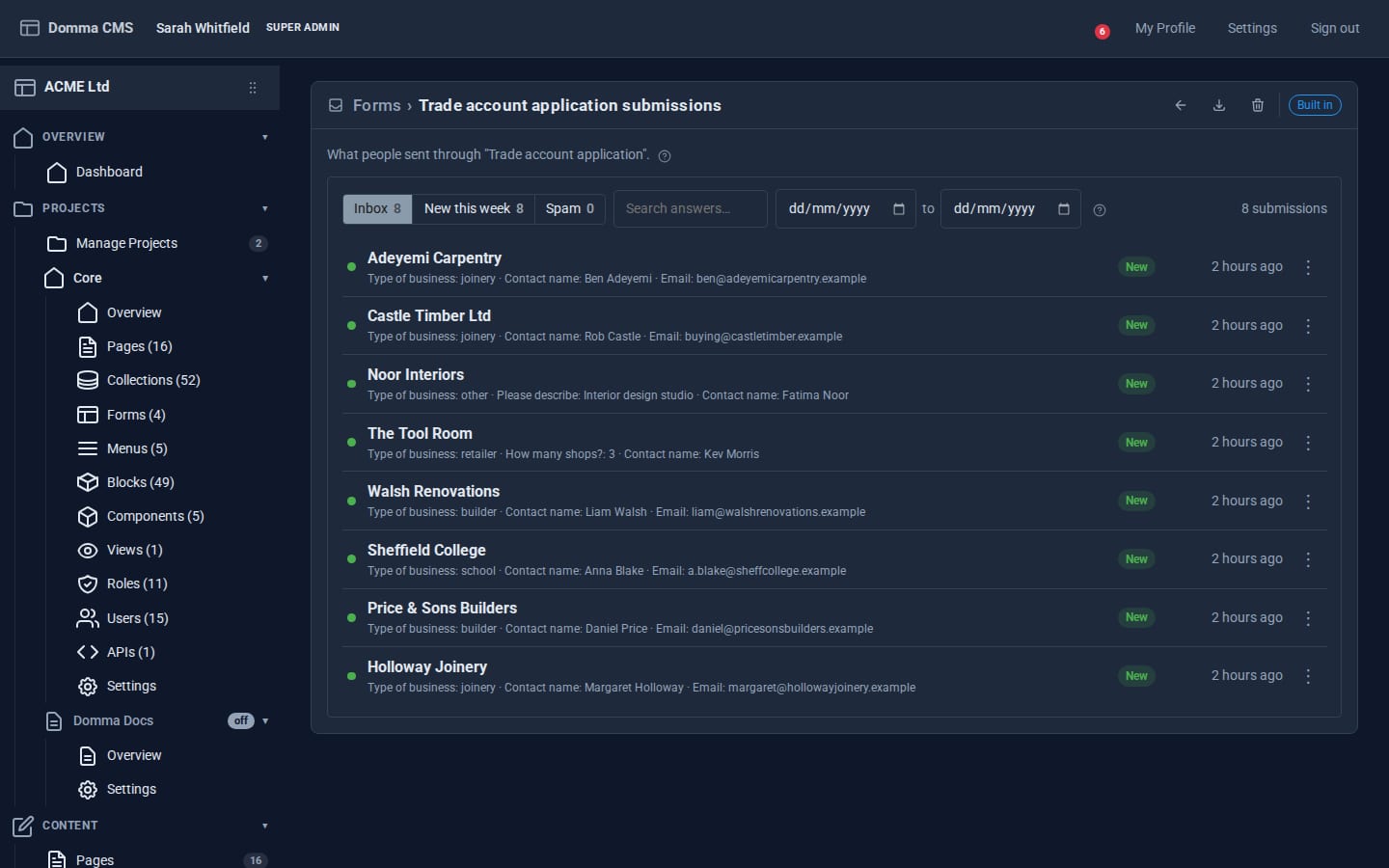
Each application is named after the sender. Filter, search and pick a date range, open one to read it all, or right-click to copy, email the sender or mark it as spam.