Your website and your back office, in one admin.
Pages, forms, a shop, bookings, contacts, invoices, SEO and security - one admin, one login, one place to look. Start free on your own server, and add Pro Tools the day you need them.

Domma CMS is made by DCBW Consulting Ltd, based in the UK. Managed sites are hosted in London. Talk directly to the person who builds it. Get in touch.
Start with the job, not the software.
Every one of these is running on a Domma site today. Pick the one that sounds like you.
A business website, this afternoon
Write in simple Markdown or use the visual page editor. Pick one of 37 themes, drop in heroes, grids, cards and galleries, preview at phone width, publish.
How publishing works →A shop that takes payment
Products with options, stock and pictures, a cart that follows shoppers round the site, and checkout with Stripe, PayPal or pay offline. Free.
Shopping Cart →Enquiries, bookings and applications
Forms that branch on the answers, run over several steps, stop early when someone does not qualify, and tell you when something needs you.
Forms →A members' area or client portal
Pages and menus only certain people see. Roles you define yourself, and an admin that can be narrowed to the two screens a client needs.
Users, roles and security →A directory, catalogue or timetable
Describe your data once and show it as cards, a table, a timeline or your own design. Visitors search, filter and export it themselves.
Collections →The back office, too
Contacts, invoices, email, a calendar, documents, messaging and project boards sit in the same admin as the website - keeping your website and business tools together in one place.
All the Tools →Switch on what you need. Leave the rest off.
Built-in Tools come with every site. Free Tools are one switch away. Pro Tools add depth when the business grows. A few favourites:






Nothing held back to make you upgrade.
The website itself - pages, themes, forms, collections, the API, SEO, security - is free to run on your own server. Pro Tools are for when you want more from one area: a second blog, discount codes and shipping zones, two-factor sign-in, Search Console in the admin.
- Built-in Tools - Analytics, Contacts, Notes, Todo, Calculator, SEO, Forms, Site Search and the Theme Switcher, on from day one.
- Free Tools - Blog, Shopping Cart, Booking, Security, Mail Reader and Feedback, one switch away. Support is on from the start.
- Pro Tools - from Calendar and Invoices to Security Pro and SEO Pro.
- If a Pro licence lapses, the free Tool it replaced comes back with your data where you left it.
The things other systems make you buy separately.
Visitors get the controls
Right-click any list on your site to filter, search, sort, group, print or export it. The view lives in the address, so it is a link you can send.
Re-theme one part of a page
Point a theme at the navbar, the footer or a single section and everything inside follows - without writing a line of CSS.
Drafts on the real address
Check a draft in place, then send a client a link that expires in seven days and can be withdrawn the moment they reply.
A site that tells you what needs you
Notifications for a failed email, an expiring licence or a form someone marked urgent, with badges in the sidebar and desktop pop-ups if you want them.
An API you build in the admin
Every collection is already an API. Add your own endpoints with a clean address, a fixed query and only the fields you choose.
Security in the box
A health check that says what to fix, sign-in lockout, password rules and scanner blocking - free with every site. Two-factor and a firewall are in Security Pro.

Learn it step by step
Your first page, a landing page in fifteen minutes, a searchable directory, a shop, a client portal - each one a short walk-through with screenshots.
Start a tutorial →
Try it on this site
The examples are live, not pictures of them: filter a collection, fill in a form that changes as you answer, watch the effects. Then see how each was made.
Open the showcase →Real sites, real businesses.
A plasterer, a tutoring agency, a leisure business, an events photographer and a World Cup fixtures guide - all on Domma CMS, all managed and updated from one place.
Deep dives, how-tos and release notes.
How Domma CMS features work, what changed this week, and what running a fleet of sites has taught us.
Can AI read your website? How Domma CMS serves every page as plain HTML
22/10/2026
Many AI crawlers read only the HTML a server sends, without running JavaScript. Here is what Domma CMS sends them, what 1.8.36 added (menus, collections, forms, calendars, /llms.txt) and how to check your own pages.
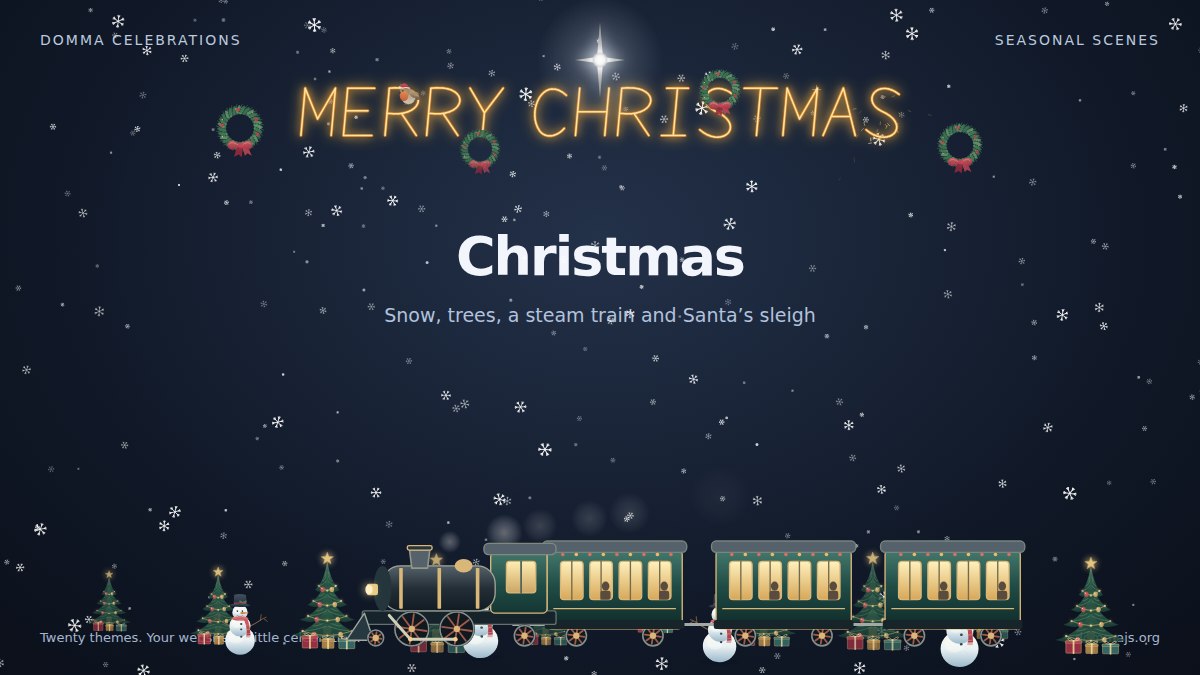
Meet Domma Celebrations: twenty ways to bring your website to life
20/10/2026
Take a visual tour of all twenty Domma Celebrations themes, from Christmas and Halloween to summer gardens and personal sparkler greetings, with screenshots and a quick setup guide.
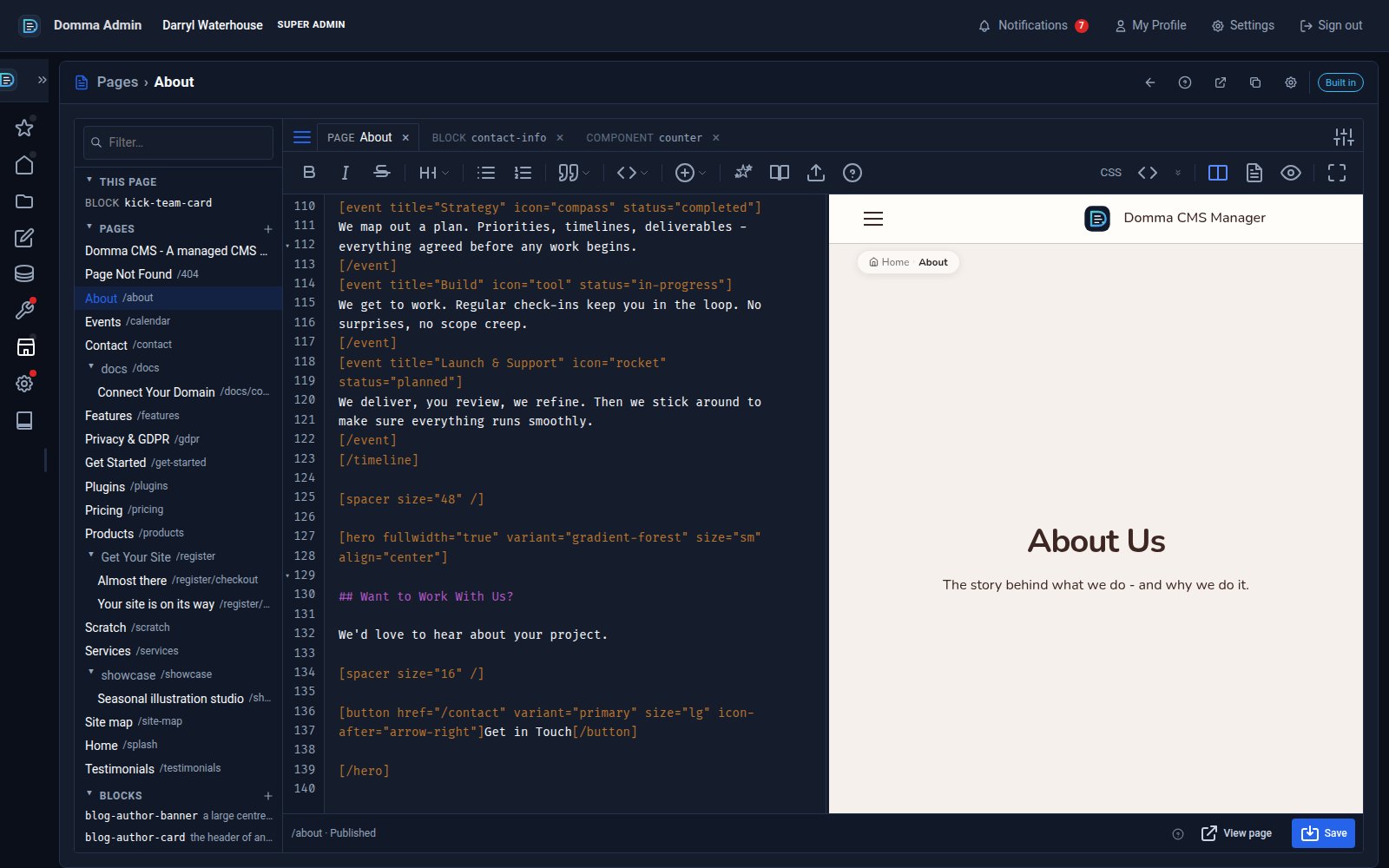
One editor for pages, blocks and components - with colour and smooth typing
18/10/2026
Domma CMS 1.8.24 turns the page editor into a workspace: pages, blocks and components as tabs, a live preview three ways, coloured text in your own font, and a caret that glides as you type.
Better every week.
The latest releases, in plain English. Updating is one command, and your content, settings and Tools are kept.
Every Tool, a keystroke away
Press G then a letter to open a Tool from anywhere - G E Email, G D Dashboards, G P Pages - and G then 1-9 for your Frequent folder. Ctrl+K or Ctrl+D finds any Tool by name, and ? lists every hotkey. Hover over a Tool to see its key, or pause after G for a hint; typing in a field is never a hotkey.
Blocks, explained
A full Blocks chapter in the documentation - your own HTML design for any collection, View, carousel or list group, with a worked example - and the plugin tutorial is now Writing a Tool. Per-visitor collections are also cleaned like the rest of the page.
Dashboards, as tabs
With Dashboard Pro the sidebar keeps one Dashboards entry: the Overview you know is its first tab and your own boards follow, each with its own address. Every Tool with widgets is in the gallery automatically. Email Pro sends with Ctrl+Enter, after asking first.
Bring it across with a plan.
Moving from WordPress? Start with our free guide, or ask us to review your site and quote for paid migration help. We will map the content, features and important addresses before agreeing the work.
Your site could be running in two minutes.
One command on any server with Node 24. The setup wizard asks for a name, a password and a theme, and you are in the admin.