Every new starter, on board - without chasing anyone.
Onboard Pro turns bringing someone on board into a journey of steps: read the handbook, give us your details, fill in this form, collect your badge. Each person gets one personal link and works through it at their own pace, and you watch everyone's progress from one screen.

What Onboard Pro does for you
Journeys of steps
Read a page or document, fill in one of your forms, give your details, do something in person, sign a document, get a site account. As many journeys as you need.
One personal link
Each person is emailed their own link. No account, no password - they tick the steps off at their own pace.
Everyone on one screen
How far each person is, where they are stuck and whether their invitation arrived. Tick or waive a step for them, with a reason.
Nudges that send themselves
Due dates, overdue notices and automatic reminders at the journey's own pace - never a daily nag, and never to anyone who has opted out.
Auto-enrolment
Name a contact group and new people in it are enrolled and invited each day. Add a new starter to the group and the journey does the rest.
See where people stop
A funnel for every journey: who reached each step, who finished it, who is waiting, and how long it takes. Download it as CSV.
A look inside
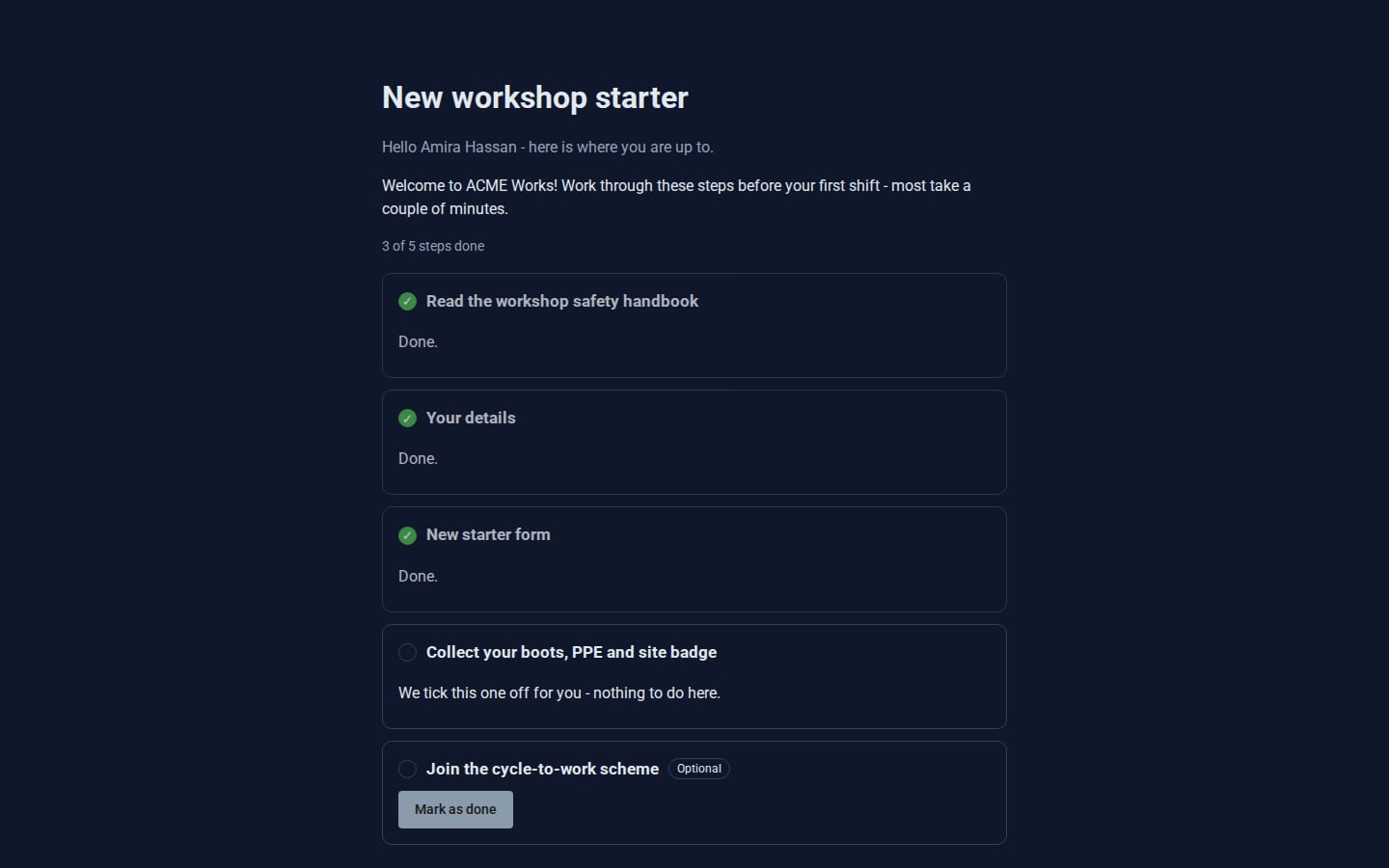
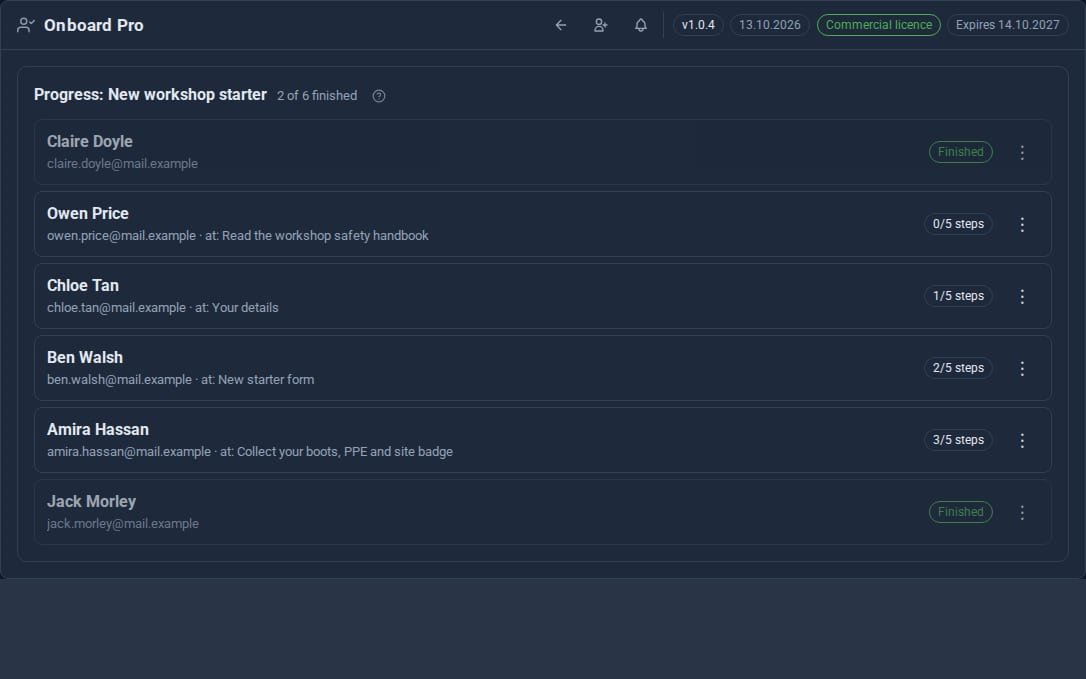
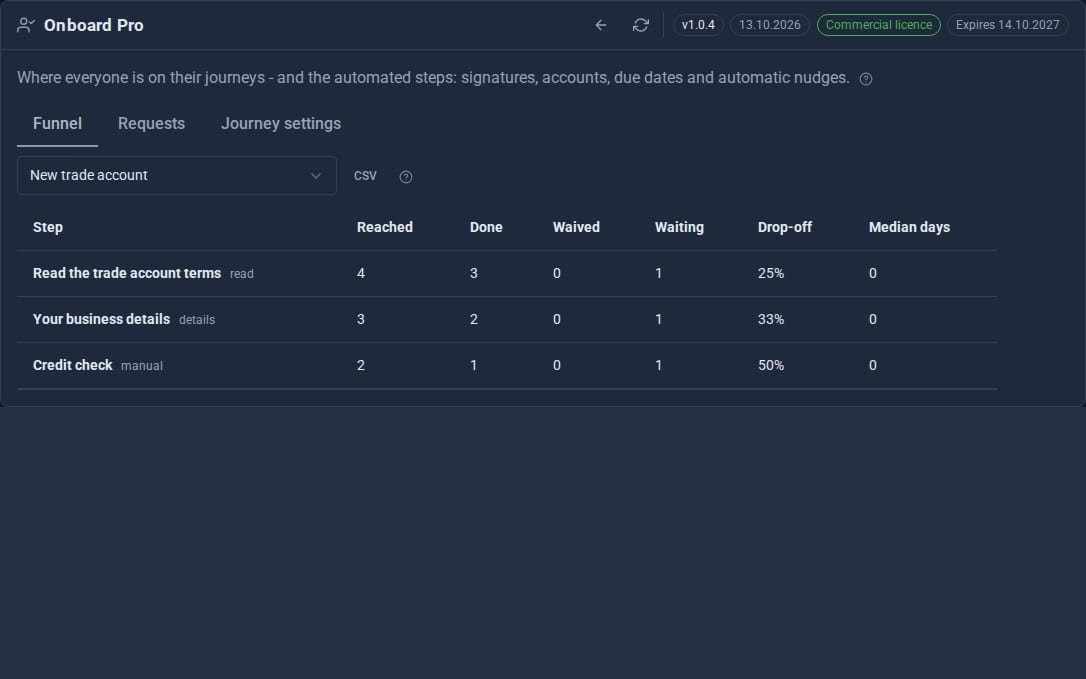
Screens from our ACME Ltd demo site. Every name in them is made up.
How a journey works
- Open Onboard Pro, press New journey and add your steps - drag them into order, and mark any as optional.
- Activate the journey, open its Progress screen and choose Enrol people from your Contacts or by typing addresses.
- Each person is emailed their personal link and works through their steps.
- Tick off the steps that happen in person - "collect your badge" - from the Progress screen.
- When someone finishes, you are told and they see your completion message.
Straight answers.
- An account step never makes anyone an administrator, and you approve each one.
- Signature steps go through Docs Pro and tick themselves when the signed copy comes back.
- Opting out of the emails never shuts anyone out: their link keeps working.
- If the licence lapses, nothing is lost - journeys, progress and accounts all stay.
What it needs
Your site able to send email, for the invitations and nudges, and its Site URL set. Docs Pro for signature steps.
Goes well with
Make every first week a good one.
Onboard Pro is a Pro Tool. Tell us about your site and we will set it up with you.