The Dashboard you would have designed yourself.
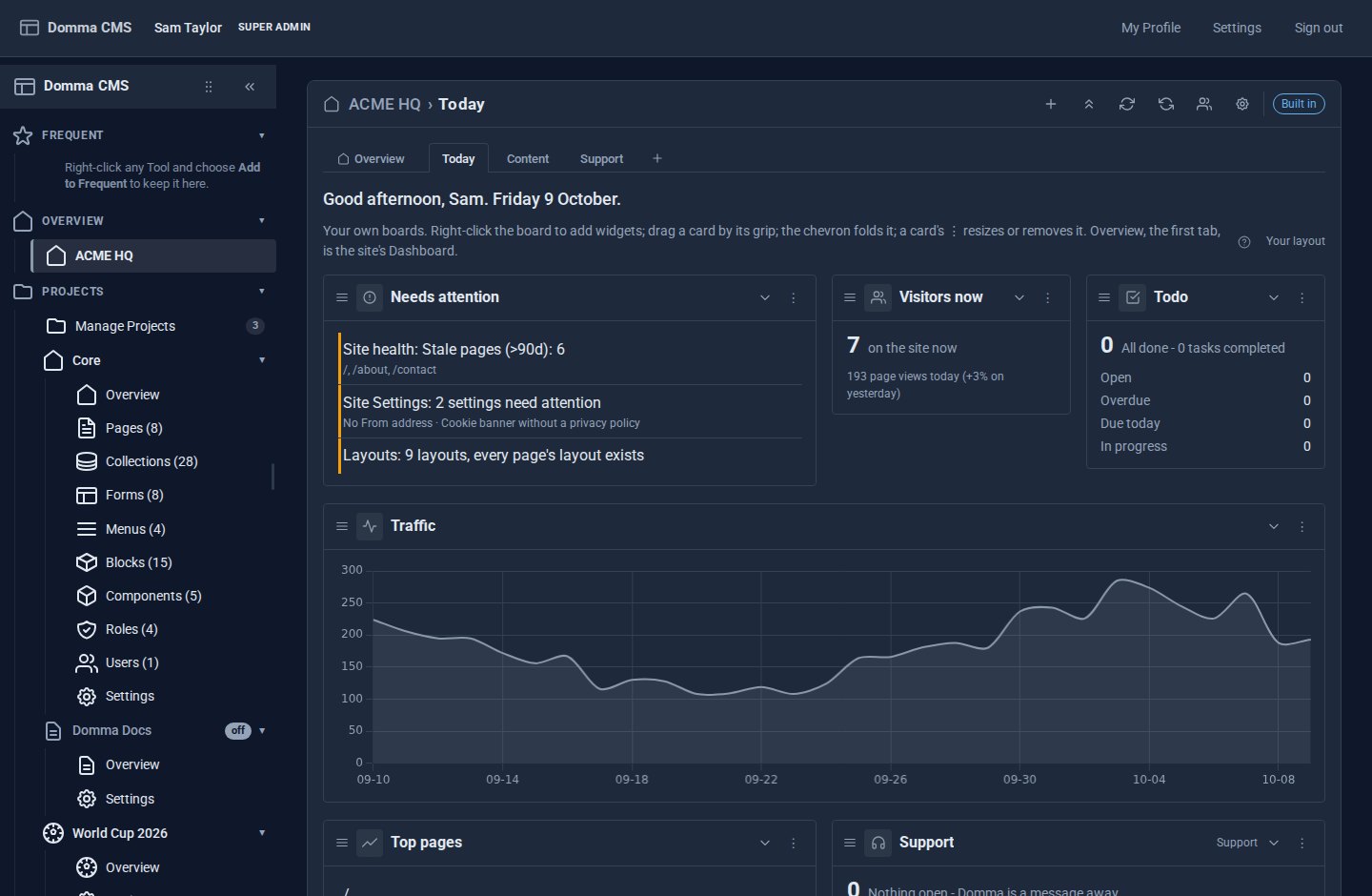
Dashboard Pro turns the admin's home into a board of widgets from the Tools you use - unread email, today's bookings, open support tickets, traffic, what needs you - and lets each person arrange their own, on as many boards as they need.
What Dashboard Pro does for you
Every Tool, one screen
Every Tool with widgets is available automatically - nothing to install or switch on. Each Tool with a count in the sidebar is a widget already: email, bookings, support, forms, pages, beside traffic, visitors now, site health and what needs attention.
Arrange it your way
Drag cards by their grip, size them Small to Full width, fold them to their title. Cards pack upwards, so there are no gaps to tidy.
One entry, many boards
The sidebar keeps a single Dashboards entry. Its first tab is the Overview you know; after it come up to twelve boards of your own - Sales, Content, Support - each with its own address.
Yours, not everyone's
Each person's boards are their own. An administrator sets the default that new people start from.
Settings that fit
Name your Dashboards, add a greeting, choose 3, 4 or 6 columns and compact cards, slow updates down or pause them, and open the admin on your boards instead of the Overview.
Lock it for clients
Agencies can lock the layout: clients see the board you designed and can fold and refresh, but not rearrange it.
A look inside
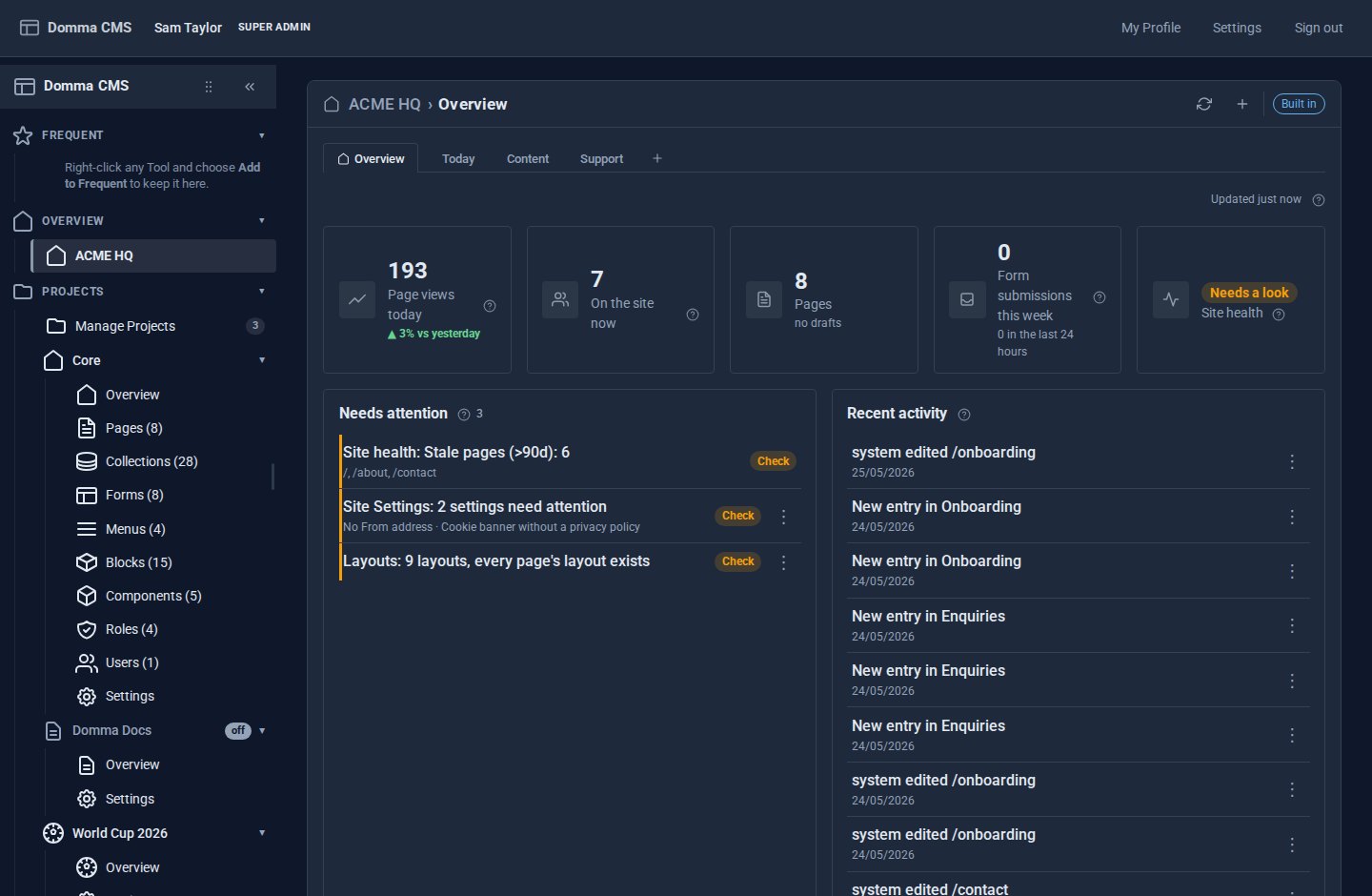
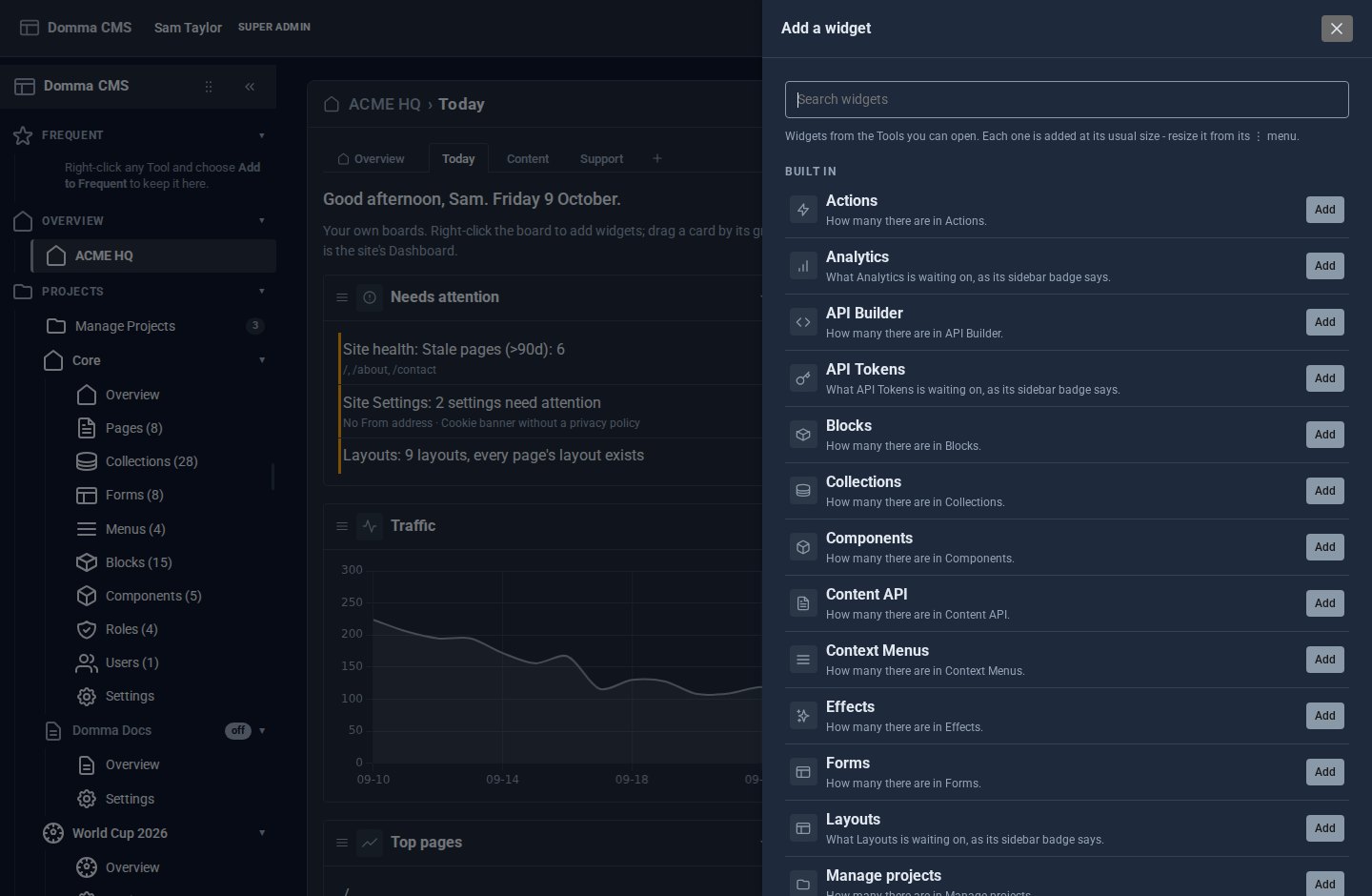
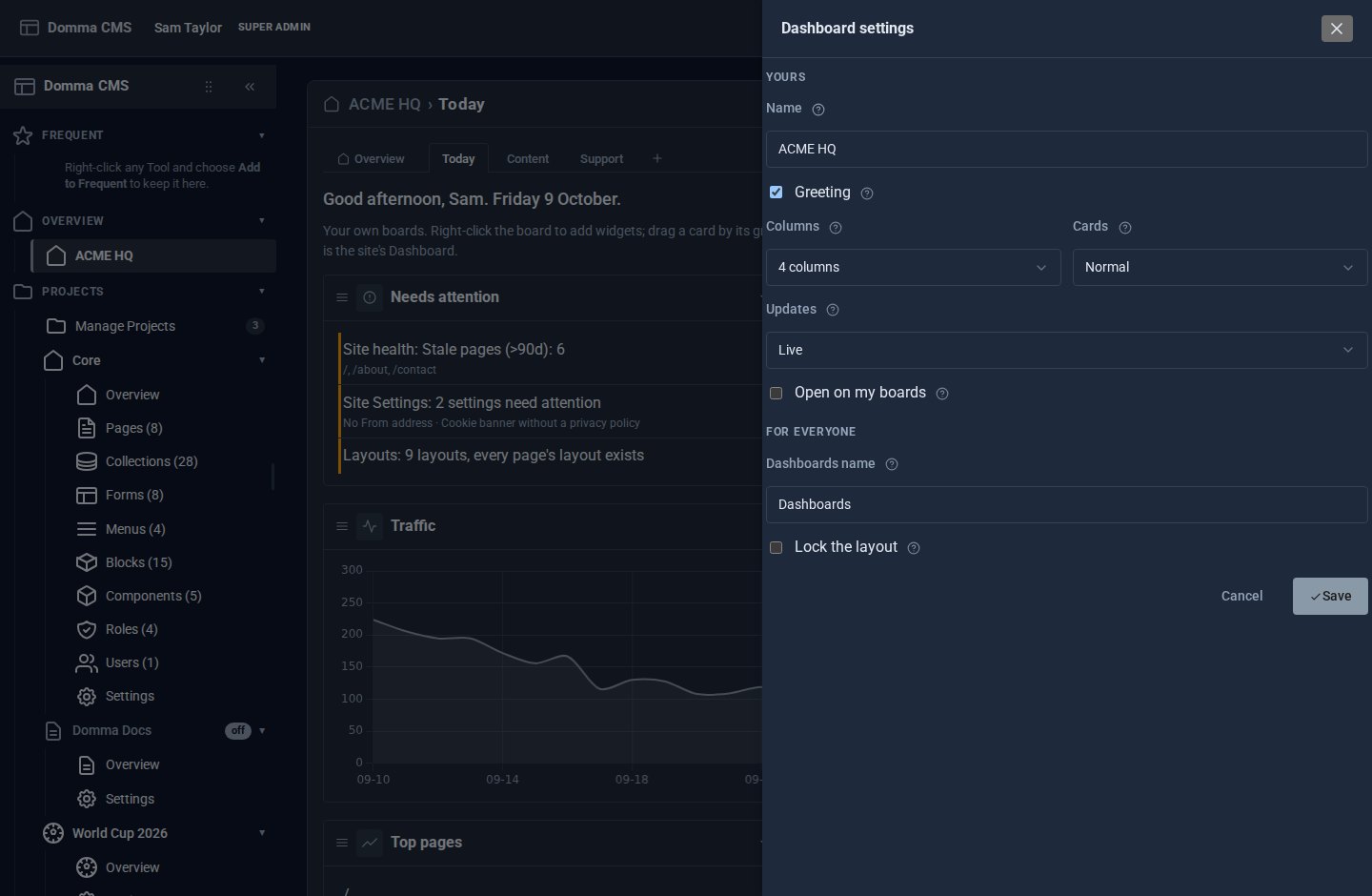
Screens from our ACME Ltd demo site. Every name in them is made up.
See it in 5 minutes
- Open Dashboards in the sidebar. The first tab, Overview, is the Dashboard you know; press + beside it for a board of your own.
- Right-click the board and choose Add widget…. Pick the Tools you check every morning.
- Drag the cards into order by their grip, and size them from each card's ⋮ menu.
- Press + again to start a second board - Sales, say - and fill it the same way.
- Open the cog, give your Dashboards a name and tick Open on my boards.
What Pro adds to the built-in Dashboard
Dashboard (built-in)
- Page views today and visitors now
- Pages, drafts and form submissions
- Needs attention, from every badge
- Recent activity and the 30-day traffic chart
- The same screen for everyone
Dashboard Pro Pro adds
- Every Tool with widgets, automatically
- Add, drag, resize, fold and remove
- Up to twelve boards per person, as tabs after the Overview
- Name, greeting, columns, density and update speed
- A site default, and a lock for clients
- Tools can add widgets of their own
Good to know
A widget only ever shows what its Tool would show you: people see widgets for the Tools they may open, and nothing else. Switch Dashboard Pro off and everyone's boards are kept for when it comes back.
What it needs
Domma CMS 1.5 or later for Dashboards as tabs (it runs from 1.2). Nothing else - no database, no outside service. £5 a month on a site we host.
Questions
No - each person arranges their own boards. An administrator can make a board the default everyone starts from, and can lock the layout so everyone else sees that one board.
Every Tool with widgets is available to Dashboard Pro automatically - there is nothing to install, connect or switch on. Every Tool with a count in the sidebar has one already - Email, Booking, Support, Forms, Pages and the rest - plus the built-in traffic, visitors, needs attention, activity, health and top pages. Tools can add richer widgets of their own, and a new Tool's widgets appear in the gallery the moment it is installed.
Nowhere - it is the Overview, the first tab of Dashboards. It cannot be moved or removed, and switching Dashboard Pro off puts the sidebar entry back to Dashboard at once.
Each widget refreshes on its own interval, a folded one not at all until it is opened, and the settings let you slow updates down or pause them.
Learn it step by step
Goes well with
Add Dashboard Pro to your site
Dashboard Pro is a Pro Tool. Tell us about your site and we will set it up with you.