Bring your contacts in from Google
Contacts Pro 0.9 imports your address book from Google, a phone or Outlook - and merges the people you already have instead of doubling them up.
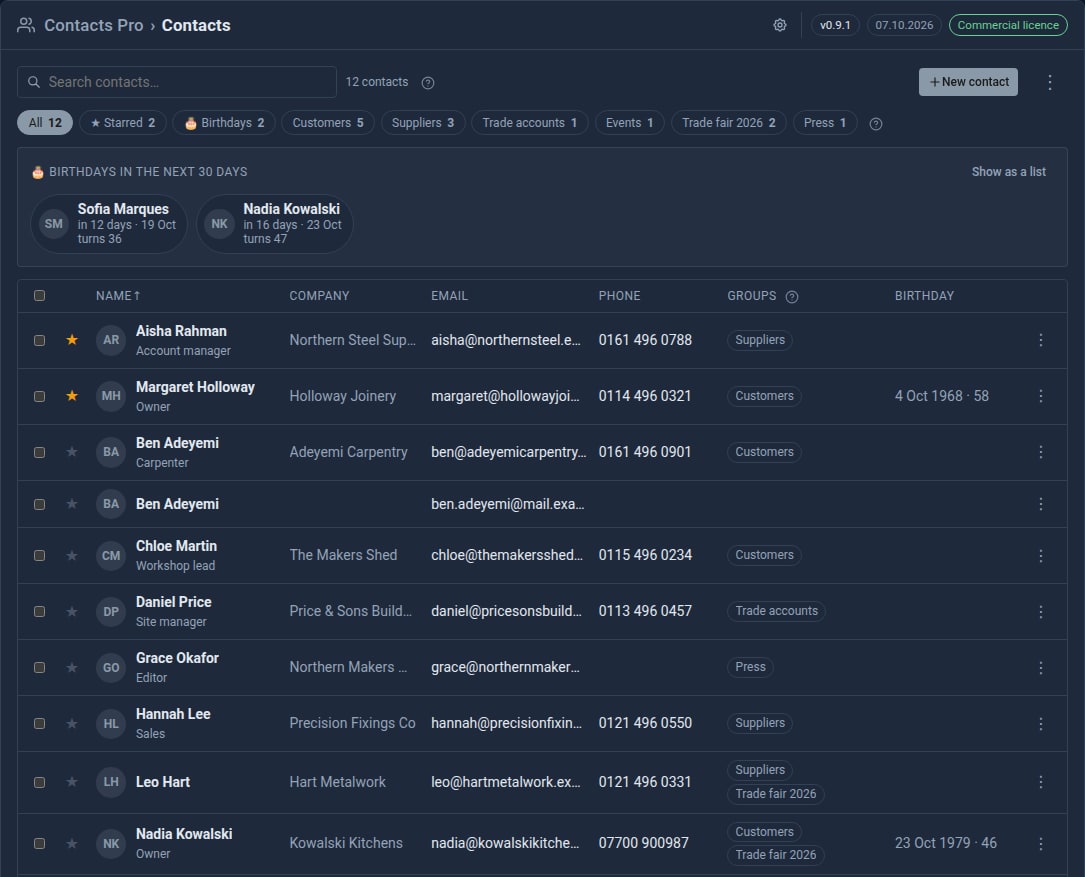
Most people starting with Contacts already have an address book. It lives in Google, or on their phone, or in Outlook - hundreds of names gathered over years, with the labels, birthdays and second phone numbers that make it useful. Typing it all in again is not going to happen. From Contacts Pro 0.9, you do not have to.
Export, drop, check, import
In Google Contacts, click Export and choose Google CSV. In your admin, open Contacts, choose ⋮ > Import contacts… and drop the file in. A Google file arrives with every column already matched - names, emails, phones, addresses, company, birthday, labels - so the next thing you see is the preview.
Nothing is saved until you press Import.
A preview that knows who you already have
The hard part of importing is never the new people. It is the ones you already have: import them blindly and you end up with two Margaret Holloways, one with the old number and one with the new.
So the preview checks every contact against your book first:
- New - added.
- Already here - the same email address or phone number as someone you have. Phone numbers match however they are written, so
07700 900123and+44 7700 900123are the same number. These are merged in, and the line under the name tells you what that adds: "+ phone, birthday". - Same name - only the name matches. Two Ben Adeyemis may be two people, so this one is added as new unless you say otherwise.
- Repeat - the same person twice in the file. The second is skipped.
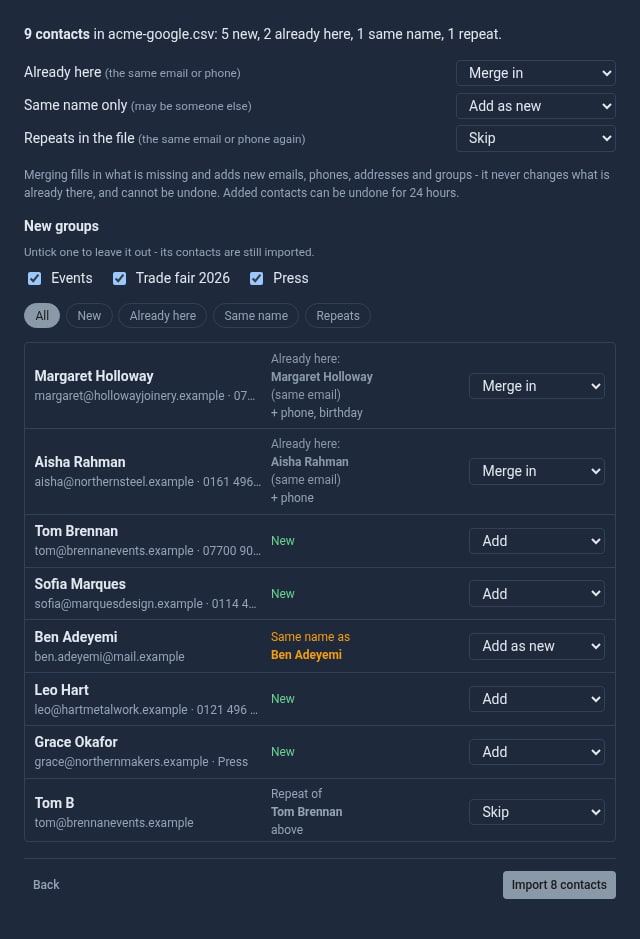
You can change any row, or a whole kind at once from the top.
Merging never overwrites
A merge fills in what is missing - a company, a job title, a birthday - and adds what is new: another email, another phone, an address, a group. It never changes what is already there. If your book says Margaret's office number is 0114 496 0321 and Google says something else, you keep yours, and Google's is added beside it.
Your labels become groups
Google's labels arrive as groups. The preview lists the ones you do not have yet, each ticked; untick one and its contacts still come in, just not filed there. Google's starred contacts keep their star, and birthdays go straight into Contacts Pro's coming-up strip and the sidebar reminder.
Anything Google holds that a contact has no field for - a nickname, an anniversary, a custom field - goes into the contact's notes rather than being thrown away. Or turn the column into a custom field of your own as you import, and sort and filter by it.
Changed your mind? You have a day
For 24 hours, ⋮ > Undo last import… takes out the contacts the import added. Any you have edited since are kept - you have worked on them. Merges stay, which is why a merge only ever adds.
Not just Google
The same importer reads vCard files from an iPhone, iCloud or an Android phone, Outlook's CSV, and any spreadsheet saved as CSV - for a spreadsheet you choose where each column goes. And it works the other way: ⋮ > Export all (vCard) saves your contacts as a file that Google, a phone or Outlook can import.
Try it
The tutorial Import your contacts from Google walks through it step by step, including what to do if the dates come out American. It takes about ten minutes.
Contacts Pro is a Pro Tool. Hosted sites with it already have the importer. Tell us about your site and we will set it up with you, your Google contacts included.
The screens above use our made-up demo company, ACME Ltd. Every name, number and address in them is invented.
Keep reading
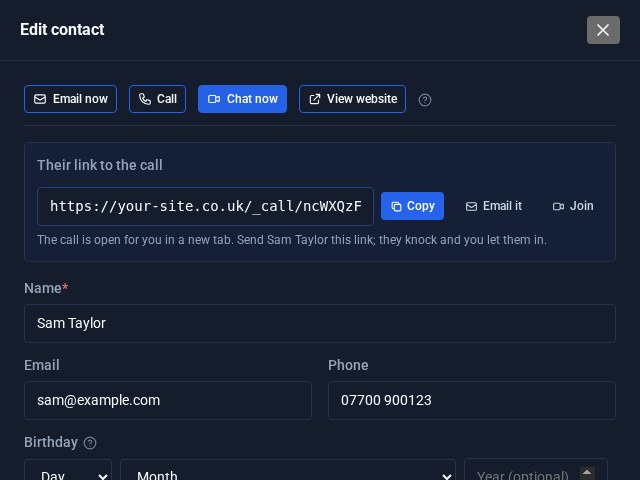
Contacts Pro: email, call or video chat in one click
Open a contact in Contacts Pro and the buttons are waiting at the top: Email now, Call, Chat now and View website. Chat now starts a video call on your own site and hands you the link to send.
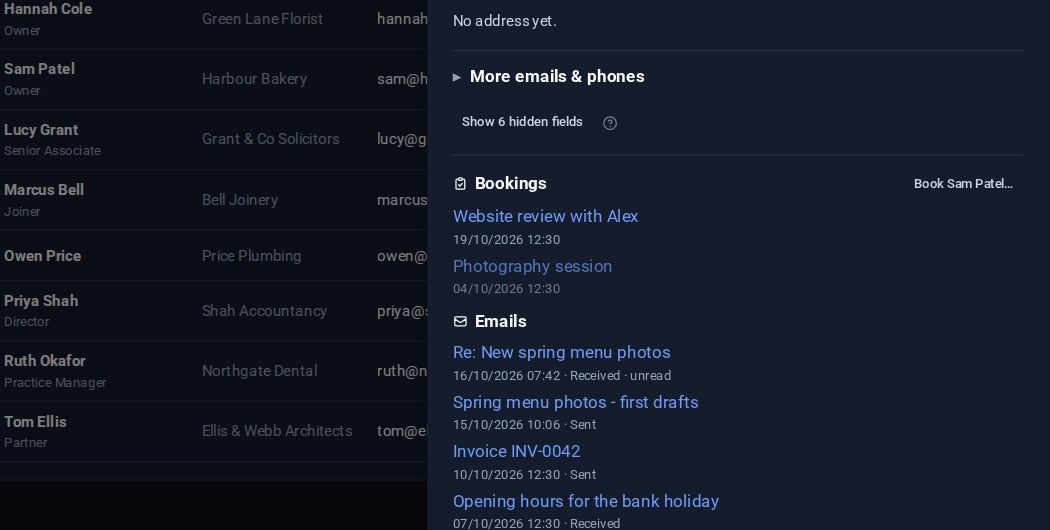
Contacts: your emails on the card, and the fields you choose
Your emails with a contact now show on their card, a click from the message itself. And Contacts Pro lets you choose which fields are columns in the list and which appear in the editor.
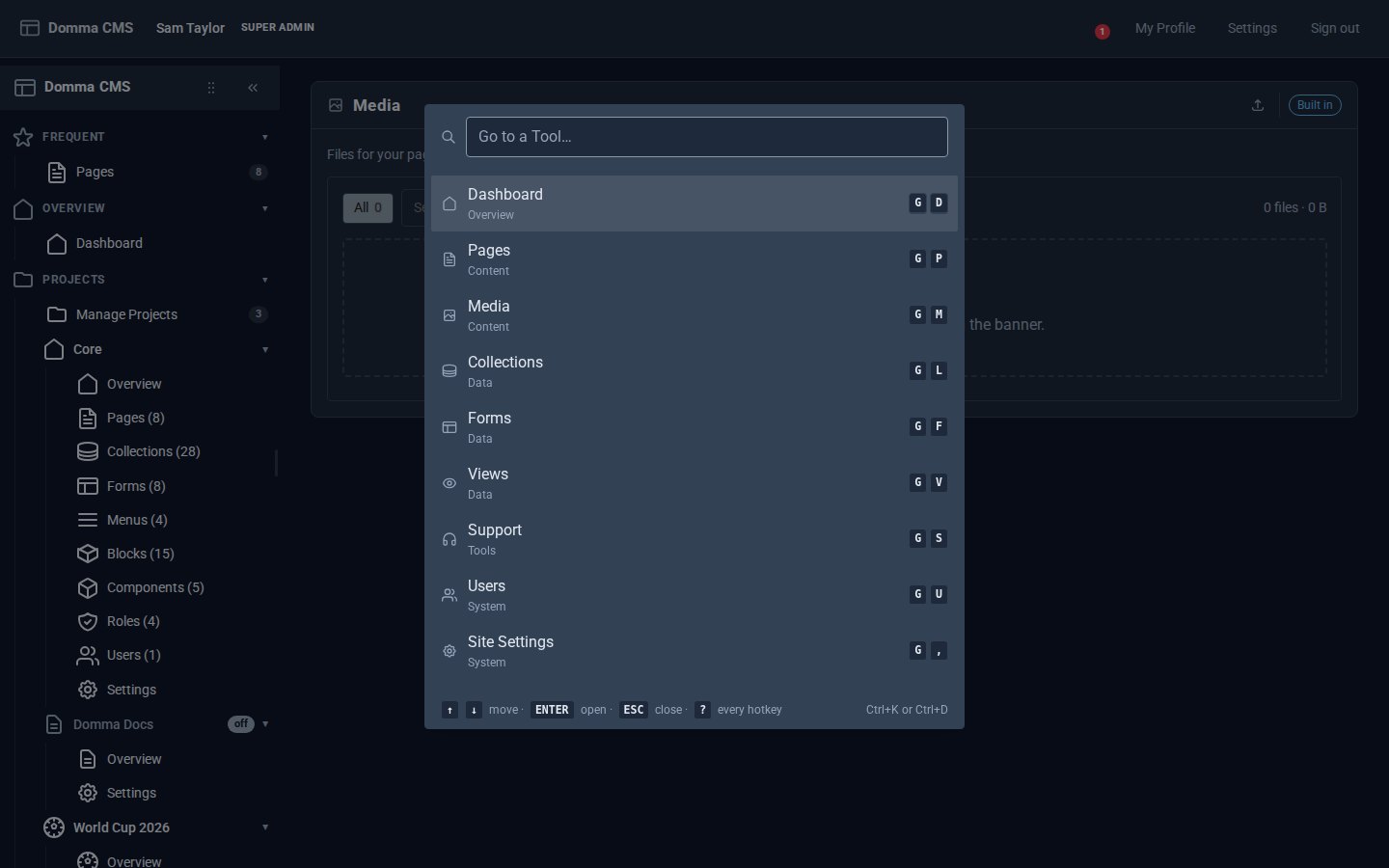
Every Tool, a keystroke away
Domma CMS 1.6: press G then a letter to open any Tool, G then 1-9 for your Frequent ones, Ctrl+K to find anything by name, and ? for the list.